
Which databases are supported by One IM 10 LTS?
Which databases are supported by One IM 10 LTS? One Identity Manager requires a database for installation and operation, currently, the only supported database is Microsoft SQL Server, but there are also other options that we will briefly cover today.
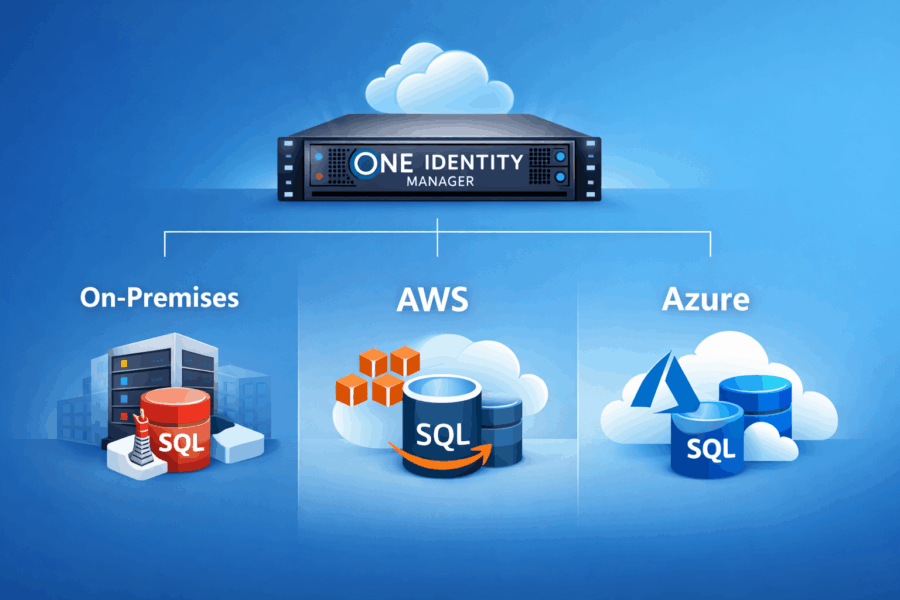
Which databases are supported by One IM 10 LTS?
If you refer to the first article in this series (One Identity Manager — the story), you will see that the history of this solution is quite long and the vendor initially supported two database platforms: Microsoft SQL Server and Oracle. Support for Oracle ended with version 8.0 (What is the latest supported Oracle Database Version?), and since then the only supported database has been Microsoft SQL Server – in both Standard and Enterprise editions. In addition, there are currently other options worth considering when designing and planning a deployment. The following are currently supported:
- SQL Server
- Managed instances in the Azure SQL Database
- Azure SQL Database
- Amazon RDS for SQL Server
In the next section, we will compare the requirements for each of these options and try to answer whether there are any „gotchas” to keep in mind.
What are the requirements for a SQL Server database?
This is the option we most often choose for Proof of Concept (POC) installations and for building an environment for demos or learning. Depending on the environment (LAB, DEV, UAT, or production), keep in mind that the vendor provides recommended minimum requirements, which should be met in particular for production. For lower, less heavily loaded environments, in practice you can allocate significantly fewer resources than the vendor’s recommended minimum (for production: 16 CPU cores and 64 GB RAM).
For Microsoft SQL Server, the Enterprise edition is recommended – especially for large production installations and purely for performance reasons. In other scenarios, the Standard edition will be sufficient. It is also worth mentioning SQL Server Developer if you are building a local, non-production lab that is not used for commercial purposes.
What about the database in Azure?
This is where it gets interesting, because in practice we have additional options in the PaaS model:
- Managed instances in the Azure SQL Database
- Azure SQL Database
We can always use IaaS – that is, our own virtual machine with SQL Server installed. If, however, we choose one of the PaaS options, the first question is whether it will be economically viable. In practice, we need to remember that One IM requires In-Memory OLTP (XTP), which forces the selection of more expensive options: Premium (DTU) or Business Critical (vCore). On top of that, there are costs at least for database storage (watch the transaction logs) and backups. The minimum items called out in the documentation that you should pay attention to are:
- For Managed instances in Azure SQL Database: the Business Critical tier is required
- For Azure SQL Database: switching from General Purpose to Business Critical is not supported (so treat the tier selection as „permanent” for this database)
- For both of the above options, we cannot enable the Ledger database feature (Ledger database, updatable ledger tables, and append-only ledger tables are not supported)
In summary, the cost of running the database itself when choosing PaaS can be high, and choosing IaaS in Azure usually provides more control over costs. There are additional limitations and requirements related to the database installation itself, but they are not critical when deciding what to choose from the available options. You can find more details in the current Release Notes for a given version – and I strongly recommend verifying them with every version change (to avoid unpleasant surprises later).
AWS option – are there any significant differences compared to Azure?
As standard (similarly to Azure), we can run SQL Server on EC2 (IaaS), but then we manage Windows/SQL Server ourselves like on-prem: patching, backups, high availability, tuning – everything is on our side. If that is not the direction we want, we can use Amazon RDS for SQL Server, a managed SQL service where AWS takes over a large portion of operational responsibilities. However, you need to be aware of the limitations:
- Ledger is not supported
- RDS does not support granular permissions, so in practice the schema is installed using the current SQL login (without creating additional, granular accounts and privileges).
As a result, we get „SQL as a service”, which is easier to maintain than running our own SQL on a VM, at the cost of some limitations in the permission model.
What else do we need besides the database?
Regardless of where the database runs (AWS RDS for SQL Server, Azure SQL Database/Managed Instance, or SQL Server on-prem), One Identity Manager requires the same application components to be deployed. The foundation is a Job Server running the One Identity Manager Service and an Application Server. If we use portals and web interfaces, they are exposed by an API Server. These components can be deployed on Windows Server; for Linux scenarios, the recommended approach is to use containers – One Identity provides Docker images for key roles (including job/app/api), which simplifies standardization and automation. As a result, the choice of database platform primarily affects the SQL operating model, while the OneIM application layer remains required and should be designed consistently for DEV/UAT/PROD, with adequate resources and secure connectivity to the database.
Summary
What should you remember? There is no single recommended option. Depending on the project, the size of the environment, cost constraints, and high-availability requirements, the choice should be validated through solid analysis and planning. If you need support in this process, we encourage you to contact us and talk.